Reels captions that keep people watching: timing, fonts, safe zones
Why captions matter for Reels, word-timed vs block captions, thin and bold type pairs, Instagram safe zones, contrast, line length and common mistakes.
- Many people watch with the sound off, and many live with hearing loss: captions make your reel work for both.
- Word-timed captions suit talking-head reels; block captions suit calm, longer explanations.
- A thin plus bold type pair lets you stress the one word that matters without shouting every word.
- Keep text out of the top band and especially the bottom third, where Instagram puts its interface.
- Short chunks, high contrast and accurate words beat fancy animation.
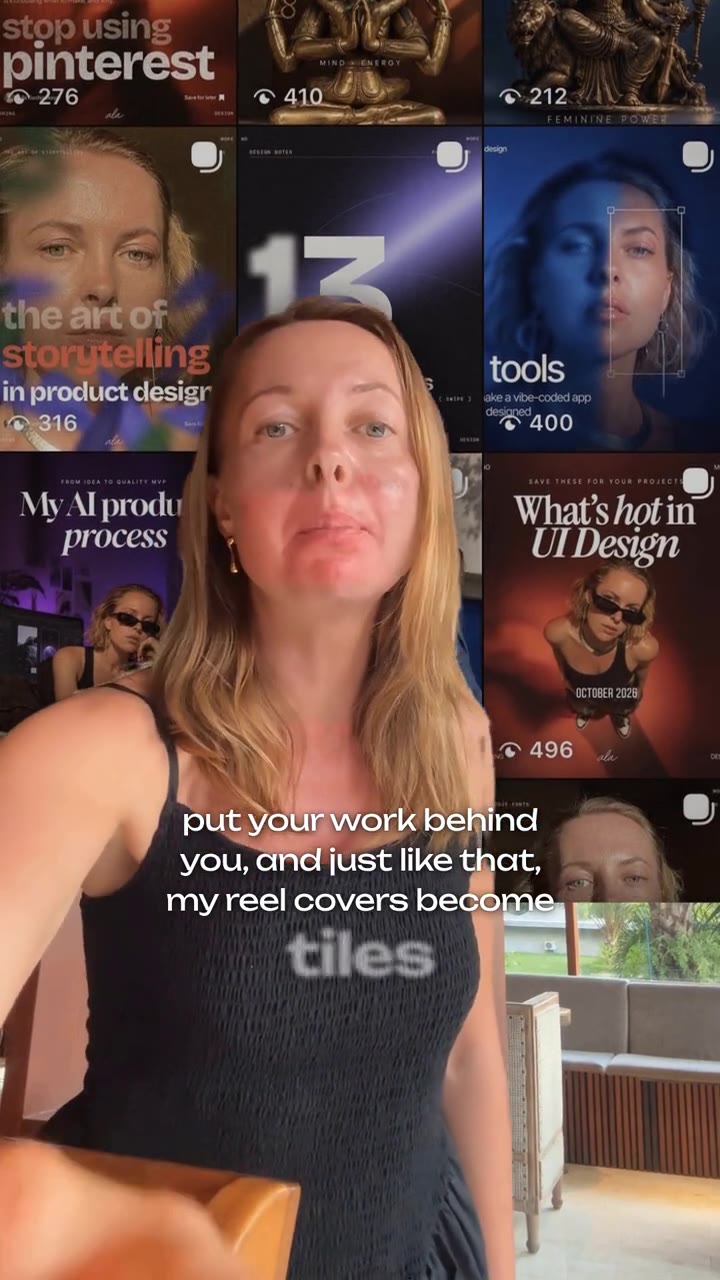
Captions keep people watching because a large share of viewers scroll with the sound off, and many others cannot hear the audio well. The captions that work best on Reels are accurate, appear in short chunks timed to your voice, use high contrast, highlight only the words that matter and stay inside the area that Instagram's buttons and text do not cover.
Here is how to get each of those right.
Why captions matter on Reels
Two reasons, one practical and one human.
Sound-off viewing. In a 2019 survey of US consumers by Verizon Media and Publicis Media, 92% said they watch video on mobile with the sound off, and 80% said they are more likely to watch a video to the end when captions are available. The survey is a few years old, so treat the exact numbers with care, but the habit itself is easy to recognize: think of anyone scrolling Reels on a bus or next to a sleeping partner.
Accessibility. The World Health Organization projects that nearly 2.5 billion people will have some degree of hearing loss by 2050. For them captions are not decoration, they are the content.
There is also a ranking angle. Instagram has said that watch time is one of its top three ranking signals. If a sound-off viewer cannot follow your point in the first seconds, they leave, and that shows up in your average watch time.
Word-timed vs block captions
Not every caption style fits every reel. The two main families:
| Word-timed captions | Block captions | |
|---|---|---|
| What it looks like | A few words at a time, each word appears or highlights as you say it | One or two full lines that change every sentence or phrase |
| Best for | Talking-head reels, fast delivery, hooks | Calm explanations, interviews, longer reels |
| Strength | Pulls the eye along with the voice, easy to add emphasis | Calmer, easier to read longer thoughts |
| Risk | Busy or tiring if every word bounces | Feels flat on fast, energetic delivery |
Word-timed captions became the default for talking-head reels because they match the speed of speech and make even a static shot feel alive. They also help hide small cuts, which matters if you remove pauses and filler words.

Type pairs: thin plus bold
A type pair is two weights or two typefaces designed to work together. For captions, the most useful pair is simple: a light or regular weight for most words, and a bold or black weight for the one or two words that carry the meaning.
Example: "Your audio is the problem, not your camera." Set "the problem" in bold and the rest in a light weight. The eye lands on the point even before the sentence finishes.
Why this works better than all-bold captions:
- Hierarchy. When everything is loud, nothing is. Contrast in weight tells the viewer what to remember.
- Calm. Thin text takes less visual space, so your face stays the main subject.
- Brand. Using the same pair in every reel makes your videos recognizable on the grid and in the feed.
Pick sturdy sans serif faces with open letters for the base weight. Very thin hairline fonts can disappear on a busy background, so test them on your actual footage, not on a white artboard.
Stay inside the safe zone
Instagram draws its interface over your video: profile name and caption at the bottom, like, comment and share buttons on the right, controls at the top. Text under those elements is hard to read or invisible.
Meta publishes safe zone guidance for Reels ads, and it is a good rule for organic reels too. As summarized by AdsUploader and Billo, the recommendation for a 1080x1920 frame is roughly:
| Area | Keep free of key text | Approx. pixels at 1080x1920 |
|---|---|---|
| Top | about 14% | about 269 px |
| Bottom | about 35% | about 672 px |
| Left and right | about 6% each | about 65 px each |
In practice, that puts captions in the middle band of the frame, usually just below your chin. Billo also notes that some Android screens may crop the left and right edges, so keep captions well inside the width.
Tip: Export one frame, open it on your phone, and hold your thumb where the buttons are. If any caption word hides under your thumb, move the captions up.
Contrast and legibility
Captions sit on moving video, so contrast changes every second. Aim for the standards used for text on screens: the W3C's accessibility guideline asks for a contrast ratio of at least 4.5:1 for normal text and 3:1 for large text. Caption text is usually large, but busy footage eats contrast quickly.
Ways to keep captions readable on any background:
- White or off-white text with a soft shadow or thin outline.
- A semi-transparent box behind the text for bright or patterned scenes.
- Avoid placing captions over a window, a white wall or a patterned shirt without a shadow.
- Keep accent colors for the emphasized word only, and check that they still contrast with the background.
Line length and timing
Traditional subtitles have clear rules. Netflix's English spec, for example, allows 42 characters per line and a reading speed of up to 20 characters per second for adult programs, according to a summary by captioning company 3Play Media. Those limits were designed for horizontal TV screens, where a line can be wide.
A vertical phone frame is much narrower, and Reels viewers are scrolling, not settling in. So go well under those limits:
- Show a short chunk at a time. A few words per caption is easier to catch at a glance than a full sentence.
- Break at natural phrases. Keep "the best time" together; do not end a line on "the".
- Keep captions in sync with the voice. Early captions spoil the punchline; late ones feel broken.
- Leave important words on screen a beat longer. Numbers and names need time to be read.
- Check the words. Auto captions mishear names, brands and numbers. One wrong word makes viewers doubt the whole message.
Common caption mistakes
- Every word bouncing, popping and changing color. Animate the emphasis, not the whole sentence.
- Captions covering your mouth or eyes. Faces hold attention; do not hide them.
- Mixing many fonts. One pair, used consistently, looks designed. Five fonts look accidental.
- Ignoring the interface. Captions behind the share button or the profile caption are effectively missing.
- Typos and wrong names. They break trust faster than any styling choice.
- No captions on the hook. If the first line is only spoken, sound-off viewers have already left.
Which tool to use for captions
You do not need expensive software. Instagram's free Edits app generates captions automatically and has since added custom animations and effects for captions. CapCut and Descript offer similar auto captions with more manual control.
The hard part is not generating text, it is the design decisions: which weight, which word to stress, where to place it, how long to hold it. That is why Reel Maker ships captions as part of designer-curated looks, with a thin plus bold type pair, word timing and placement already tuned together. More on how a full reel comes together in our guide to making Reels with AI.
If you want captions that look designed without fiddling with every word, join the Reel Maker waitlist or come say hi in our Telegram community.
Questions and answers
Are Instagram's built-in auto captions good enough?
They are a solid start and free. Check every word, especially names and numbers, and move them if they collide with the interface. For a branded look, a dedicated editor gives you more control over fonts, timing and emphasis.
How many words should one caption show at a time?
For word-timed captions on a vertical video, a short chunk of a few words reads best. Break lines at natural phrase boundaries, not in the middle of a phrase.
Where should captions sit on a Reel?
Usually in the middle area of the frame, slightly below your face, inside the safe zone. Meta's guidance for Reels ads suggests keeping roughly the top 14 percent and bottom 35 percent of a 9:16 frame free of key content.
Which fonts work best for Reels captions?
Clean sans serifs with sturdy letterforms read best at small sizes. Pair a regular or light weight for most words with a bold or black weight for emphasis, and keep the same pair across your reels.
Sources
- Mobile videos often watched without audio, study finds (Broadcasting+Cable / Next TV, 2019)
- WHO: 1 in 4 people projected to have hearing problems by 2050
- Meta ads safe zones (AdsUploader)
- Meta Ads safe zones: 2026 unified creative updates (Billo)
- Understanding SC 1.4.3 Contrast (Minimum) (W3C)
- How to meet Netflix captioning specs (3Play Media)
- Instagram Edits launches on the App Store (9to5Mac)
- Edits gets custom captions, effects and color correction (Social Media Today)
- Instagram shares algorithm insights for 2025 (Social Media Today)